
 Arabic
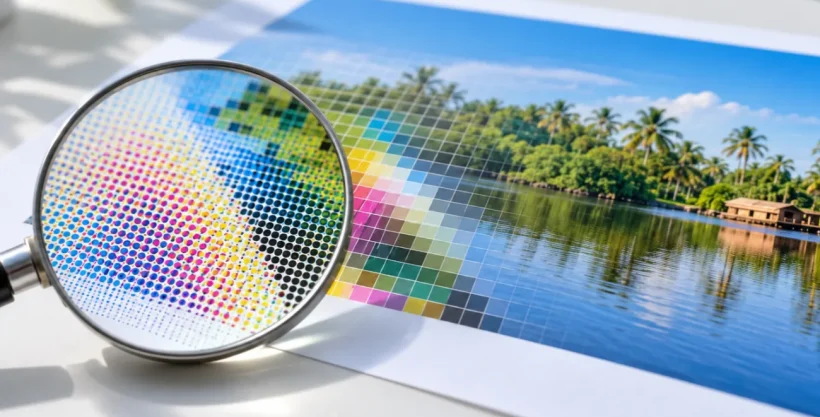
An A4 sheet measures 210 by 297 mm. At 300 dots per inch, that page needs a grid of about 2,480 by 3,508 pixels to keep its edges sharp, and that sum is the quickest way into what is DPI in printing. DPI counts the ink dots a printer places inside one inch of paper. A higher count packs the dots closer together, so fine detail has room to show. This guide covers how to read the number, how to check your own files, and where image resolution catches people out.
Counting Dots: What Is DPI in Printing in Real Numbers?
Picture a printed photo as a mosaic. Each inch holds a set number of dots, and the more dots there are, the smaller each one gets and the finer the picture looks. A digital image is a grid of pixels. Once that grid is given a physical size on paper, the pixels per inch is what most people call DPI.
A widely used DPI for printing everyday pieces such as flyers and cards is 300. An inch is 25.4 mm, so an A4 page works out to about 8.27 by 11.69 inches. Multiply each side by 300 and you land on roughly 2,480 by 3,508 pixels.
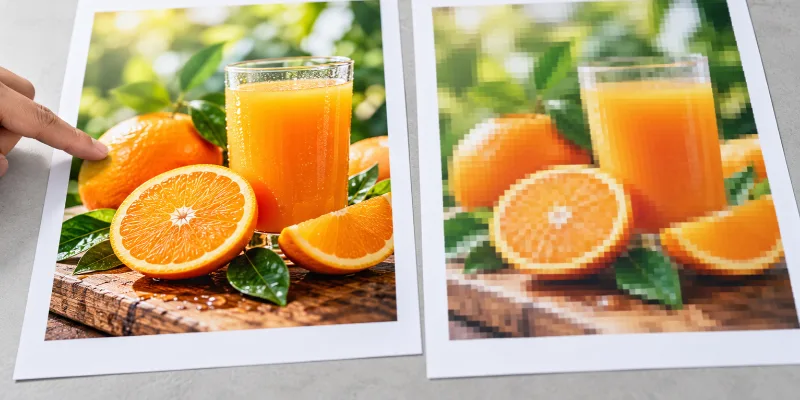
Fewer pixels spread over the same page means fewer dots per inch, and the picture starts to look soft.
Why a Sharp Screen Image Can Print Soft
Monitors forgive a lot. Check the pixel dimensions of the original, not how large it looks on your screen. A photo that looks fine in a browser tab may hold far fewer pixels than a printed sheet asks for, because print files usually need more image resolution than screen graphics do. Image resolution for printing is the pixel count measured against the physical size of the finished piece.
Stretch the same pixels across a bigger area and the DPI drops. Double the width of a print, and a 300 dpi image falls to 150 dpi. That is why a small photo blown up for a large piece looks blurry, and why a small image pushed into the bleed area softens the edge.
A Quick Sum Before You Export
Anyone who has asked “What is DPI in printing?” tends to meet the same follow-up: how many pixels does my photo need? Multiply each finished side in inches by 300, then add bleed.
Many printers ask for about 3 mm on every side. An A4 flyer becomes 216 by 303 mm, which is roughly 2,551 by 3,579 pixels at 300 dpi. High-resolution images for print jobs need to cover that outer band too. Headlines and phone numbers sit separately, about 3 to 5 mm inside the trim line.
Order matters in the layout tool too. Set the document to the finished trim size, then enter the bleed value, then pull backgrounds and photos out to the outer edge. Scaling a whole design up to add bleed shifts everything, text included, so extend the background instead. Export a print PDF with the bleed included, and add crop marks if the printer asks for them.
Printers set their own numbers. Ask for theirs before the PDF goes out.
Paper, Ink, and Surface Change What You See
DPI describes the file. The finish decides how those dots look on the sheet, because it changes how ink sits and how light bounces off it. Gloss tends to give photos deeper color contrast, while matte reads calmer under bright shop lighting.
Digital printing is the usual route for flyers, brochures, and business cards, since it handles fine detail and full color.
Objects follow a different logic. UV printing can go straight onto acrylic, glass, wood, metal, PVC, foam board, and leather, and those jobs print inside a fixed area, so the useful question becomes where that area ends. Logos and photos still need enough resolution to stay sharp. Screen printing has its own file needs as well, so the same artwork may need preparing differently for each method. A mockup that places the artwork on the actual product catches edge problems before production starts.
Final Thoughts
DPI is a ratio between pixels and printed size. The file, the finished dimensions, and the printer’s own rules decide whether an image holds up, so check pixel dimensions before designing around a picture, and ask for a physical sample when the finish matters. This is general information, and the printer’s specifications have the final say.
Al Fajer Advertising Gifts Trading LLC, a Sharjah-based printing and branding company, lists UV printing, commercial screen printing, and pad printing among its services, and each method brings its own file needs. Which image in your next project is the smallest one, and does it still reach 300 dpi at its printed size?